03 Independent practical guide
Your first Higgsfield video: one cup, one camera move.
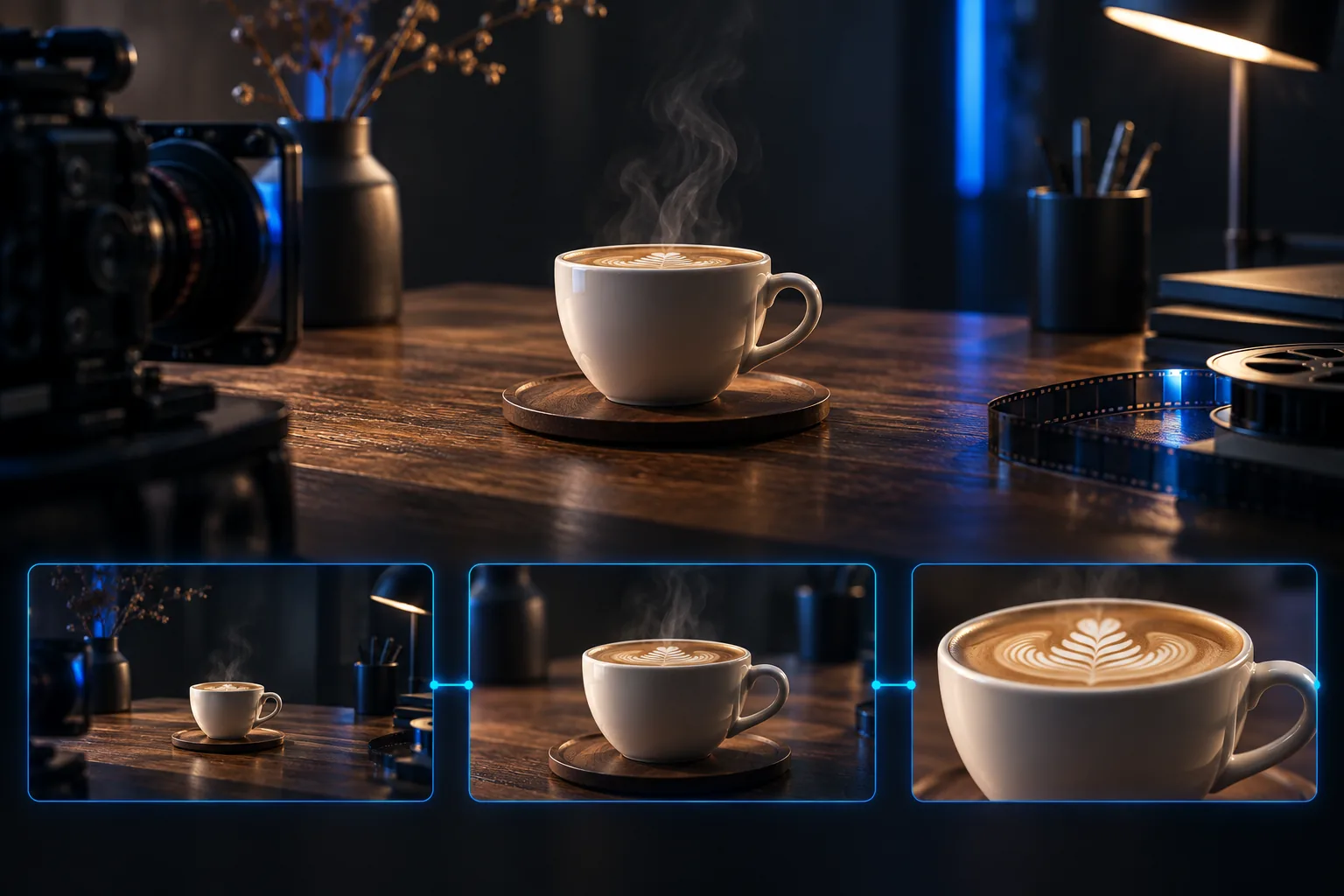
Start with a simple shot you can judge: a cup on a table and a slow camera push-in. The aim is to learn how your chosen model handles a clear image and one movement. This exercise gives you an input checklist, a copyable prompt and an acceptance check. It is an editorial exercise, not a claimed successful test.
Quick answer
Use a sharp, uncluttered source image. Choose an image-to-video model and a short available duration, ideally around five seconds for this exercise. Check the displayed credit cost before generating. Ask for one gentle camera move, then inspect the complete clip for changes to the cup, lighting and background. Revise one input or setting at a time.
1. Prepare the still image
Use a plain ceramic cup with no logo or lettering. Place it on a simple surface with enough space around the handle. Choose a picture you made or have permission to use. A clean starting image makes it easier to distinguish a generation defect from a detail already present in the source.
For this first exercise, leave people and hands out. Adding a hand that reaches for the cup introduces another action and another thing to inspect. Save the original image and decide what must stay stable: cup outline, handle, position on the table and direction of light.
- One clearly visible cup and handle.
- No small text that needs to remain exact.
- A simple background with room for the camera move.
2. Choose settings in the actual interface
Select an image-to-video mode that accepts your source image. Choose the output shape for the intended use and a short duration the model supports. Five seconds is our exercise target, not a claim that every mode offers exactly that setting.
Upload the image and inspect the generation cost after selecting the settings. Record the model, mode, duration and format alongside the prompt. A prompt is not a reliable substitute for a duration or format control, and there may be no separate camera slider in your chosen mode.
3. Describe only the intended movement
The source image already defines the cup, surface and composition. Tell the model what changes over time: a gentle push-in while the subject and light remain steady. Avoid adding a new location, another person or several competing camera moves.
The prompt below is a starting instruction, not a tested preset. Match it to the image you uploaded. If the model offers relevant controls, inspect them and avoid setting a movement that conflicts with the text.
The cup remains still on the table. The camera slowly pushes in. Keep the cup shape, handle, background and light direction consistent with the source image. One continuous gentle move, no cut, no added object and no hand entering the frame.
Check: Set an available short duration in the interface, then review the full clip.
4. Watch the whole result, including the last frame
A good opening frame can hide a problem later in the clip. Watch at normal speed, then inspect the middle and end. Does the handle change shape? Does the cup slide without a reason? Does the camera jump, or does the direction of the light change?
Compare the result with the source image and your one-sentence brief. Keep a version that is technically decodable separate from one you have actually accepted visually. Do not judge the entire attempt from a thumbnail.
- Cup shape and handle remain recognisable.
- No unrequested hand, cut or subject appears.
- Light and background do not visibly jump.
5. Change one thing and keep the earlier version
If the camera movement is too strong, simplify the camera instruction or use a relevant control if one is available. If the input is already ambiguous, improve the still image first. Changing image, model and prompt together makes it harder to know which change helped.
Stop at your preset attempt limit. Save the prompt, settings and accepted result together so you can repeat the approach. Add sound and edit the shot only after the visual check; a soundtrack does not repair a distorted cup.
Questions before you start
Do I have to use a five-second setting?
No. Use a short duration your selected model supports. Five seconds is the target of this editorial exercise, not a universal Higgsfield setting.
Should I add the format and duration to the prompt?
Set them in the interface where controls are provided. Text can explain intent, but it does not prove that the requested output setting was selected.
What if the cup changes shape?
Inspect whether the source is clear, reduce unnecessary motion and change one variable before retrying. There is no guaranteed prompt that prevents every defect.
Official references
Sources and editorial limits
Product documentation checked on 3 October 2026. Prices, models and offers can change. We have not verified local checkout amounts or generated the examples as tests.
- Plans and free access
Official explanation of paid plans, Free access and the absence of a trial.
- How credits work
Credit expiry, top-ups and website versus automation limits.
- Current website plans
Check your current plan, billing period and checkout amount here.
- Higgsfield Academy
Official product tutorials. Controls and supported inputs vary by model.
- Separate developer API
API pricing is separate from website subscription pricing.
- Terms of use
Check the terms for your intended use and the rights to your inputs.